Mobile Gaming App

22ok App — The best gaming on Android and iOS, now in the palm of your hand

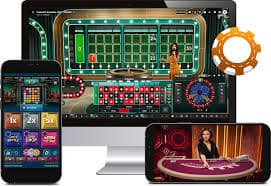
At home or on the go — download the 22ok mobile app and get slots, casino, and bingo all in one place. Fast loading, a simple interface, and direct Mobile Banking, Nagad, and Rocket integration make gaming easier than ever.

Android iOS Web browser
22ok
500+
Game library
24/7
App services
3 Seconds
Average load time
3
Payment Methods

Why is the 22ok app a top choice for gamers in Bangladesh?

Smartphones are in nearly everyone's hands now, and gaming is no longer just for computers. The 22ok app was built with exactly this in mind — optimized to run smoothly on Bangladesh's network conditions, use less data, and work reliably even on older devices.

Many people assume the mobile app doesn't offer everything the web version does. With 22ok, you get exactly the same experience — the full game library, Live Casino, slots tournaments, promotional offers, and instant deposits and withdrawals. In fact, the app includes exclusive perks available only to mobile users.

The interface is designed so even first-time users can navigate with ease. Finding a game, making a deposit, or contacting customer support — everything takes just two or three taps.

Log in to the 22ok app every day for a chance to claim special daily bonuses. These app-exclusive offers are available only to mobile app users, so keeping the app installed means there's always something to look forward to each day.

22ok

How to install the 22ok app

Whether you're on Android or iOS, the installation process only takes a few minutes.

Install on Android

1
Open the Site in Browser

Visit the 22ok site in Chrome or any browser on your Android phone.

2
Download APK

Tap the Android APK download button on the app page. The file will be saved to your downloads folder.

3
Allow installation from unknown sources

Enable Settings › Security › Unknown Sources. This only needs to be done once to allow APK installation.

4
Open the APK file

Tap the downloaded file and install it. Installation completes in just 30 seconds.

5
Log In or Register

Open the app, log in or create a new account, and start playing.

Install on iOS

1
Open Safari browser

Open Safari on your iPhone or iPad and visit the 22ok site. Using Safari gives you the best results.

2
Add as PWA

Tap the share button at the bottom, then select "Add to Home Screen".

3
An Icon Will Be Added to Your Home Screen

A 22ok icon will appear on your home screen, looking and working just like a native app.

4
Enjoy in Fullscreen Mode

Tap the icon to launch the app in full-screen mode without a browser.

5
Log in to your account

Log in to your existing account or complete a new registration.

22ok

Features of the 22ok mobile app that will impress you

Think of the 22ok app as a complete gaming platform, not just a place to play games. Deposits, withdrawals, bonus tracking, live games — everything is in one app.

Fast loading

Games load fast even on 3G networks. Using data saver mode can also help reduce your data usage.

Push Notifications

Get direct notifications on your phone for new bonuses, tournaments, or withdrawal confirmations.

Biometric Login

Log in quickly and securely with fingerprint or Face ID — no need to remember your password.

Instant payment

Mobile Banking, Nagad, and Rocket deposits and withdrawals are available directly within the app.

Live Casino

Enjoy Live Blackjack, Roulette, and Baccarat with real dealers — crystal clear on mobile too.

Dark mode support

Dark mode activates automatically at night to reduce eye strain during late gaming sessions.

App vs. browser — which one is right for you?

Features 22ok App Mobile Browser
Push Notifications Yes No
Biometric Login Yes No
Offline game caching Yes Limited
App-exclusive bonuses Yes No
Fast loading Optimized Depends
Data saver mode Yes No
Access All Games Yes Yes
Mobile Banking/Nagad payment Yes Yes

How to get the most out of the 22ok app

Installing the app is just the start — using it the right way unlocks a lot more. A few small habits can make a big difference to your gaming experience.

Log in to the app every day — 22ok offers a daily login bonus exclusively for regular users. Keep push notifications on, as most limited-time offers are announced through notifications.

Turning on data saver mode reduces mobile data usage. It's especially useful for slots, keeping gameplay smooth while using less data. For the best Live Casino experience, connect via WiFi.

There's a bonus tracker built into the app. Check it regularly so you can use any bonus before it expires. Also, update the 22ok app weekly — each update brings new games, new features, and performance improvements.

The 22ok app features a Refer-a-Friend program. Refer a friend, and once they sign up and make their first deposit, you'll receive a bonus. It's easiest to take advantage of this feature directly through the app.

22ok

Which devices support the 22ok app

Android

  • Android 5.0 or above
  • At least 1 GB RAM
  • 80 MB Free Storage
  • Stable Internet Connection (3G/4G/WiFi)
  • Chrome or any modern browser

IOS (iPhone / iPad)

  • IOS 12.0 or above
  • IPhone 6s or newer
  • Safari browser (latest version)
  • Stable Internet Connection
  • 60 MB Free Storage (PWA)

Everything you want to know about the app

Yes, the 22ok app is completely free to download and install — no charges apply. You only need to make a deposit to start playing games; the app itself is free.

Yes, the 22ok app gives you access to the full game library, just like the website. Slots, Live Casino, Bingo, and all other game types are available on the app. In fact, the app includes some exclusive features not found in the browser.

The 22ok app runs on any phone with Android 5.0 or above. On older devices, live casino streaming may be slightly slower, but slots and other games will run fine. Enabling data saver mode can further improve performance.

Yes, the 22ok app has Mobile Banking, Nagad, and Rocket integrated directly. You can deposit and withdraw right from within the app — no need to switch to a separate browser.

Android users can update by downloading the latest APK from the 22ok site and installing it over the existing version. iOS PWA users will be updated automatically simply by reloading the site in Safari.

Yes, the same 22ok account can be used across your phone, tablet, and computer. However, if multiple devices have active sessions at the same time, you may be automatically logged out on one of them for security purposes.

Get started with the 22ok app now

Sign up, install the app, and enjoy Bangladesh's best mobile gaming experience. New members receive a special welcome bonus upon first registration.

বাংলা